Sharepod

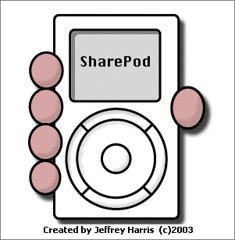
Lately, I have been using a great program called Sharepod to copy songs on and off of my iPod onto computers that don’t have iTunes installed. I have tried some other software to do the same thing, but this one works just fine. You can even run the software right off your iPod — no installation necessary; best of all — it’s free!

Do It Yourself Silk Screening Tutorial

Inspired by Kristy (girlx512)’s tutorial, I’ve decided to make my own brief tutorial on how to make a multi-coloured screen printed t-shirt.

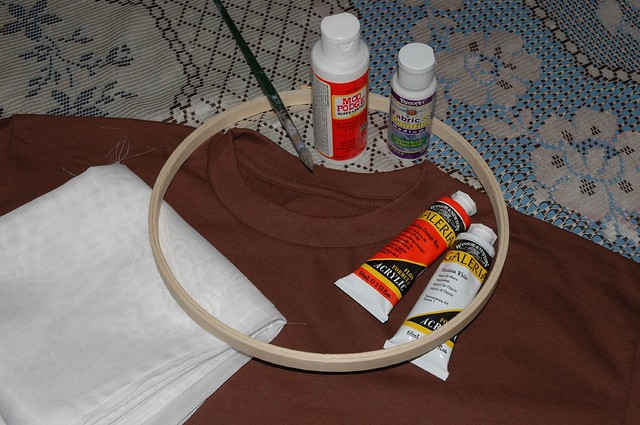
The supplies you will need include:
Materials

  • prewashed tshirt
  • a 5-10 inch embroidery hoop (having more than one means you can prepare all the screens for all colours before you start)
  • sheer curtain material, nylons, or tulle (I used the sheer curtains)
  • Non Water soluable Glue (I used Mod Podge)
  • screen printing ink or acrylic paint + fabric medium (I used paint and medium)
  • paint brush with stiff bristles (optional but recommended)
  • a design, either drawn freehand or printed from a computer

Directions:

  1. Find or create your design. This can be done either on the computer or as a drawing. The image should be high in contrast and not too detailed. Pretty much any design that you can paint, you can make. Make sure your design fits inside the embroidery hoop. It should be small enough to leave at least one inch from the edge of the hoop. I think a smaller hoop is better if you have a tiny design because the screen will be tighter, but even though it was unnecessary for me to use such a large embroidery hoop with my design, it still worked fine.
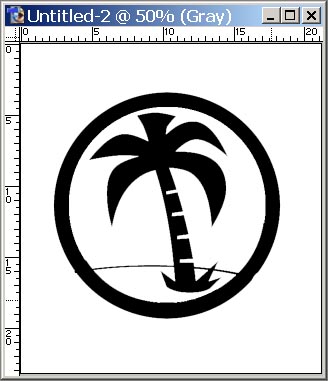
    Photoshopping T-Shirt DesignI created my image in photoshop and printed it the size I wanted it to appear on the shirt.

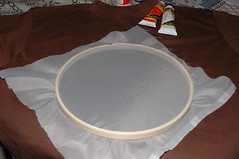
    Sheer Curtain MaterialStretch the sheer curtain into the embroidery hoop and tighten it. It should be as tight as you can make it without wrecking the hoop or tearing the fabric. The embroidery hoop can then be tightened to hold the screen in place.
  2. Place the hoop on top of your image sheer curtain side down.
  3. Tracing the Design

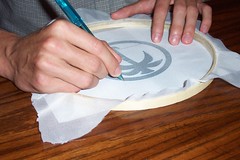
    Using a pencil, pen, or felt, trace the image onto the screen. The outline should be clear so that you know where to fill in the glue. Accuracy becomes more important if you are adding more than one colour on your shirt.

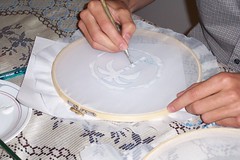
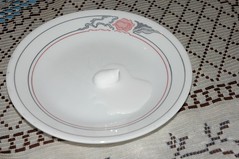
  4. Mod Podging the ScreenMod Podge all the areas where you don’t want the first colour to go through. I used an old paint brush but spreading it using just your fingers works even though it takes longer to dry. Also remember, when you apply the Mod Podge, to avoid gluing it to your workspace the screen should not be touching anything. Flip it over so that the side with the sheer curtain is up. At this point you have the option to use tape or other adhesive materials to cover/clog the larger areas, but if you want to make more than one shirt with the same screen, it needs to be washable.
  5. For single coloured shirts skip this step. Repeat steps 1 – 5 on a second screen. This time leave the areas open for your second colour. It’s okay to overlap colours a little bit, but depending on what look you are going for, try to be as accurate as possible.
  6. Mix Acryllic With Fabric Medium

    Since I didn’t have screen printing ink, I had to mix the acrylic paint with fabric medium. The type I used needs to be mixed in a 2 to 1 — paint to fabric medium — ratio, but read the label just in case. Think about how much paint you will need to cover the entire screen because if you don’t mix enough the first time, you may have to mix more and the consistency might change. I ended up having to mix more for this t-shirt but it turned out okay anyway.

  7. Screen Printing

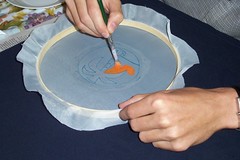
    Make sure you remembered to pre-wash your shirt. It’s a waste of time, effort, and materials if the shirt shrinks after the screen printing is done. Position the embroidery hoop and screen against the shirt where you want the image to be printed. Once you have it placed in the correct spot, apply the paint by dabbing the brush up and down in a stippling motion. I put a piece of paper inside the shirt to prevent the paint from going onto the back side.

  8. Remove the screen and give the shirt time to dry.
  9. Repeat steps 7 – 9 using the second embroidery hoop and applying the second colour. Line the second embroidery hoop up as carefully as possible to match the first colour’s position. A little overlap is okay if you are going for that look.
  10. The instructions on the bottle of fabric medium recommend ironing the image before washing as well washing inside out.

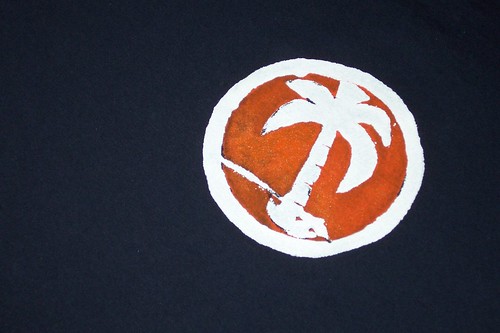
    Here is the final look of the design:

    Palm Tree T-Shirt Design


  11. The screen can be used over, so if you want to reuse it don’t forget to wash it out before the paint dries.
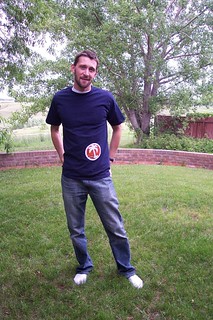
My New Shirt

Here I am wearing my new t-shirt in my parents back yard. I couldn’t quite wait and as a result it was still a little wet when I put it on. I think if I were to make this shirt again, I would put the logo a little more to the wearer’s left. It seems a little too high and close to the centre for my liking.
Continue reading “Do It Yourself Silk Screening Tutorial”

Malaysia – Day 17

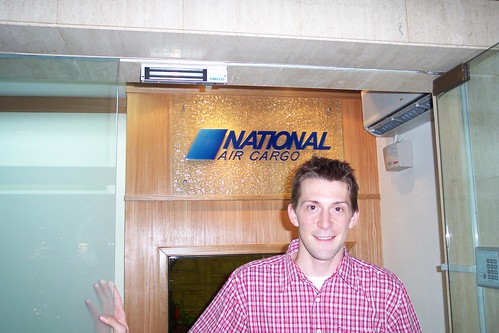
National Air Cargo

Today we shot a video for National Air Cargo (the Malaysian division) and I got to be an extra.

I posed as a customer asking questions about the company.

Later in the day I worked on some proposals for channel V and checked out some cool New Media related sites (the first three are portfolio based, the last one has AfterEffects tips):

Got any good ones for me to check out? Leave them in the comments.

Five days after I posted these links, Patrick O’Brien (AKA Transfatty) was diagnosed with Amyotrophic Lateral Sclerosis (also known as ALS or Lou Gehrig’s disease). He decided to make a movie about it.

Malaysia – Day 4

More of the Fountain

What a great day. I started work today and I really like it. Before I left, I was told that it would take at least an hour and 15 minutes to commute to Sunway. As it turns out the bus ride this morning took exactly 45 minutes. Needless to say I’m pretty happy about the extra 60 minutes that adds to my day.

I did however get to work a little early which gave me a chance to grab some french toast for breakfast and take a couple of pictures around the area.

Quick Trip to Banff

On Wednesday night I drove to Calgary and then just for kicks we headed out to Banff to see King Muskafa play at the Rose and Crown Pub. We had a pretty good time, especially because we got to meet the band before they went on and with a band as much fun as they are, a good time is just bound to happen.

Image of King Muskafa

One of the more vocal patrons became very obnoxious when he started asking if the singer would expose herself for his viewing pleasure. I didn’t see the bouncers remove him, but as we left shortly after we saw him talking to his friends outside; this is what he said, “You just don’t piss people off. That’s what I learned.”

They are playing at the Rose and Crown all week so if you’re in Banff today I recommend going and checking them out — it was well worth the trip.

The Thought Project

The Thought Project is a collection of headshots taken of random people in Copenhagen, Denmark and New York City. Beside each image is the thought(s) they were thinking just as they were approached for a picture.

Over a period of 3 months I stopped 150 strangers on the street and asked them what they where thinking about the second before I stopped them. Using a mic and a dictaphone I recorded what they told me, then took a picture of them. 55 of the 150 thoughts are presented on this website as quotes. All quotes state exactly what was said during the interviews. The interviews took place in Copenhagen, Denmark, and New York City.

"Vice presidents from Disney don’t contact just any old Joe Schmoe off the street."

After reading this Newsday.com (Updated link:) wdwmagic forum article about a scuba-diving dentist that claims Disney and Pixar Animation Studios stole the idea for the hit film “Finding Nemo” from him, I think he may have a case.

He claims he submitted an illustrated manuscript to Disney and talked on the phone about his story with a writer from Pixar. (The two companies have a distribution partnership.)

A Disney vice president told Sternberg in 1996 that although the story had “great potential,” it did not fit into the studio’s “development slate” at that time, according to the suit.

Seven years later, Sternberg was in a movie theater and saw a preview for the upcoming release of “Finding Nemo.”

“I thought, ‘Hey, I’m the scuba-diving dentist. Those are my characters, that’s my story,”‘ he told The Star-Ledger of Newark for Wednesday’s editions. “It made me sick to my stomach.”

One big similarity: Sternberg story has a character named “Nimo.”

The thing is, before he submitted his manuscript he signed a two-page waiver that said he would be entitled to only $500 if he were to claim that the company used his material without permission or authorization. His lawyer is asking the court to void that waiver.

Continue reading “"Vice presidents from Disney don’t contact just any old Joe Schmoe off the street."”