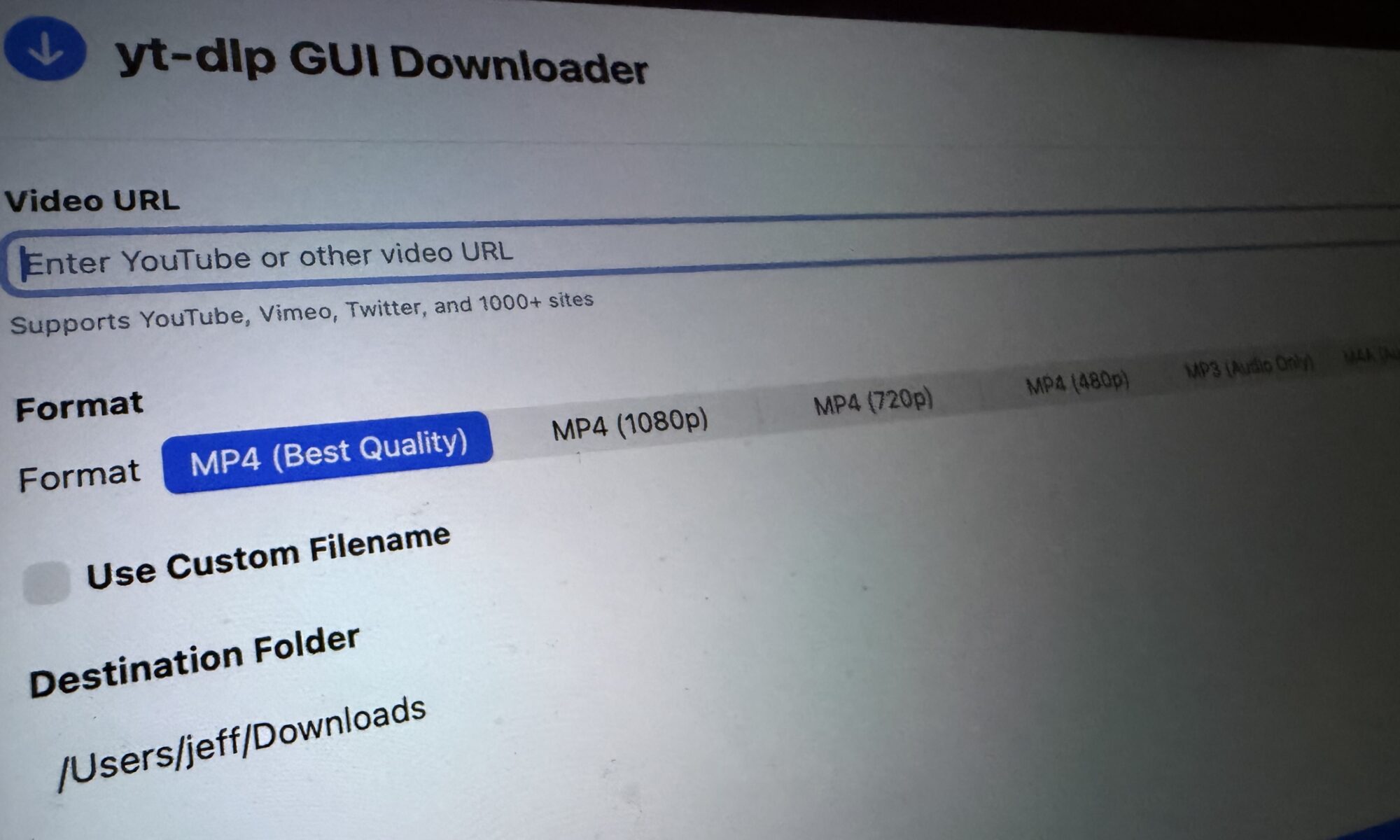
With the help of many YouTube tutorials 1 I created a macOS app that is a graphical user interface (GUI) for YT-DLP. It lets you save videos2 from the Internet to be viewed later. It’s like a VCR for the digital age.
It’s my first attempt so I don’t know if I’ve set up the Git repository correctly but I think this how one does it: YTDLPDownloader on GitHub.
Update: If building a fresh copy from code is not your thing, you can download YT-DLPDownloader for MacOS.
- Especially Paul Hudson’s 100 Days of SwiftUI[↩]
- Download formats include: .mp4, .mp3, or .m4a[↩]
For a download GUI, one useful small feature is an explicit distinction between “file created” and “file revealed in Finder”. It gives users a concrete way to check where the output went without assuming they know the default folder. I maintain Sonify, a browser audio tool linked in my website field, and the equivalent gap between a ready result and a saved local file has been a helpful interface check. I have not tested this macOS build, but a short owned-video test covering MP3, M4A and an interrupted job would be a useful addition to the release notes.